
 dufu1991
79dcf590b5
更新.gitignore文件以忽略新的SVG字体文件,并修正多个README文档中的许可证描述,确保一致性。
dufu1991
79dcf590b5
更新.gitignore文件以忽略新的SVG字体文件,并修正多个README文档中的许可证描述,确保一致性。
|
1 năm trước cách đây | |
|---|---|---|
| .. | ||
| scripts | 1 năm trước cách đây | |
| src | 1 năm trước cách đây | |
| CHANGELOG.md | 1 năm trước cách đây | |
| CHANGELOG_CN.md | 1 năm trước cách đây | |
| README.md | 1 năm trước cách đây | |
| README_CN.md | 1 năm trước cách đây | |
| package.json | 1 năm trước cách đây | |
README.md
Introduction
A VS Code extension that provides convenience when developing with STDF.
Installation
Search for STDF for VS Code in the VS Code extensions marketplace and click install, or install STDF for VS Code from the marketplace.
Features
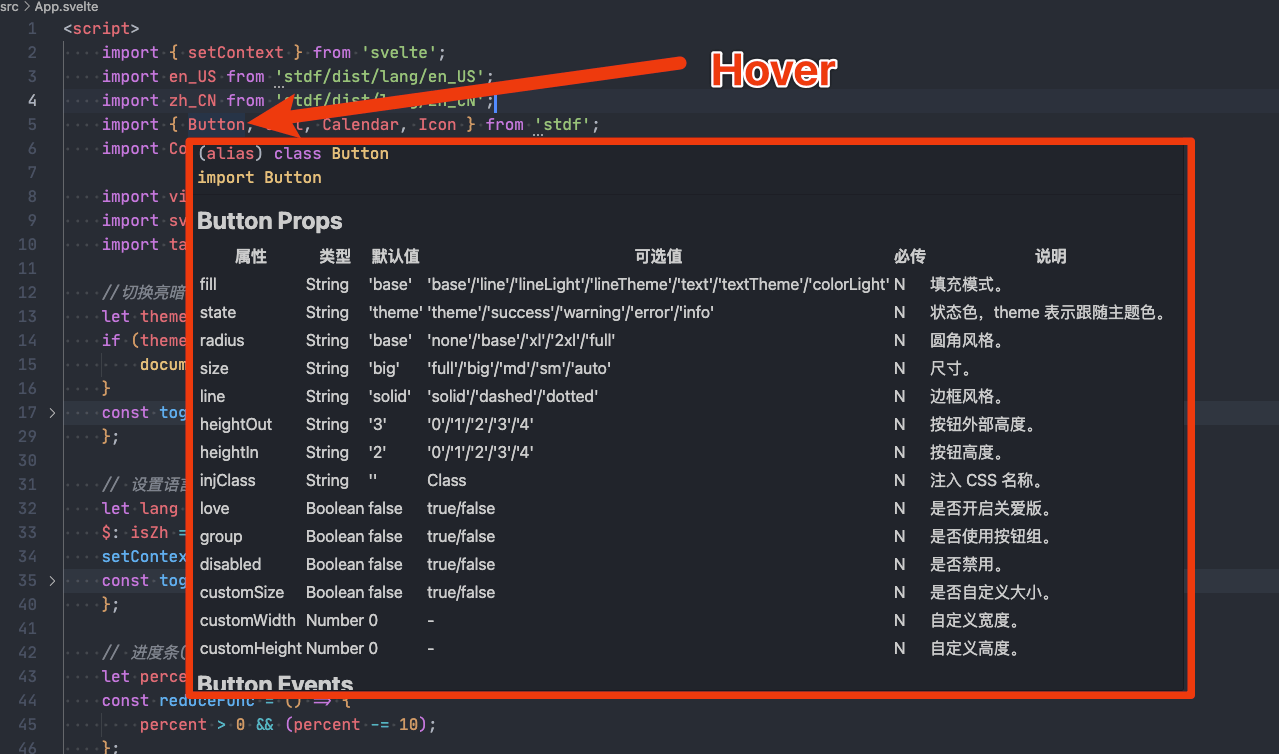
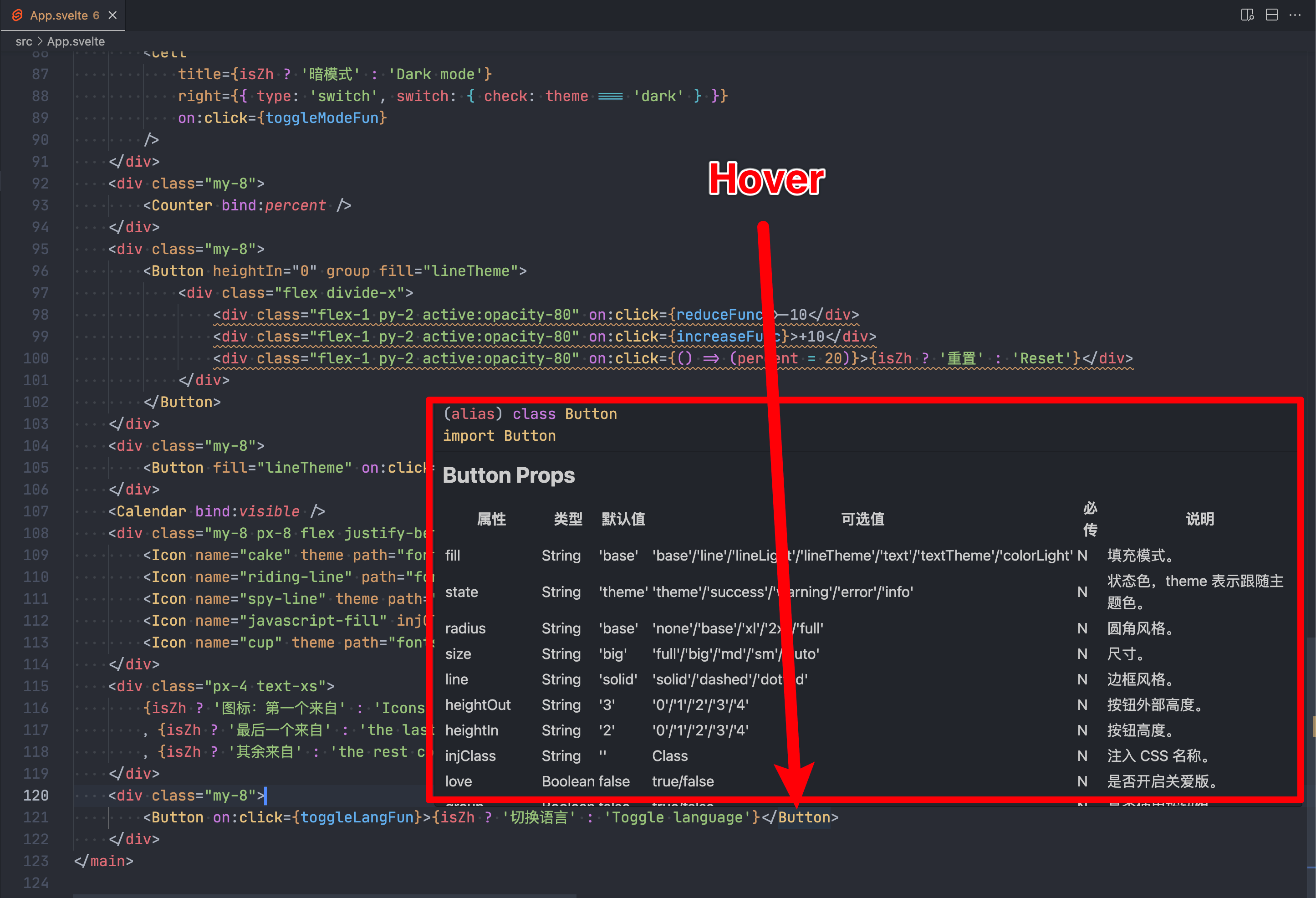
When hovering over the name of an STDF component, the following information will be displayed:
- The API of this component.
- The example/API/guide of this component on the STDF official website.
- The source code of this component on GitHub/Gitee.
or
Configuration
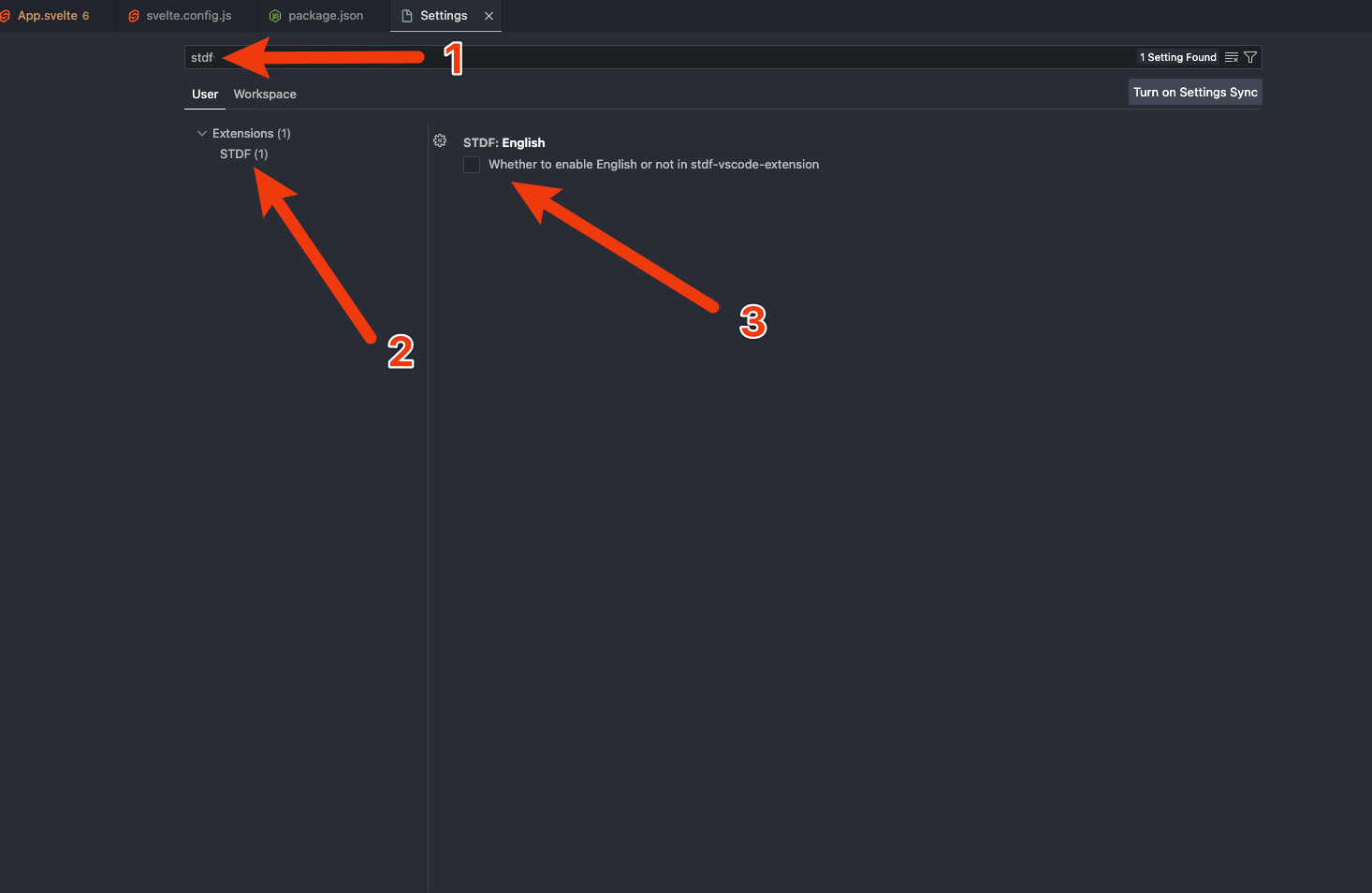
The default API display is in Simplified Chinese. You can enable English API in the VS Code settings.
License
This project is licensed under the MIT License.